SLEEPLOOP · IOS
Thử một thay đổi trong 14 đêm.
Xem nó có giúp bạn ngủ ngon hơn không — bằng dữ liệu Apple Health của chính bạn, kèm độ tin cậy thật.
Run 14-night sleep experiments on your own Apple Health data and get an honest confidence level.
- iOS
- Không tài khoản / No account
- Không máy chủ / No server
01 — Thử Nghiệm 14 Đêm
Thử nghiệm 14 đêm
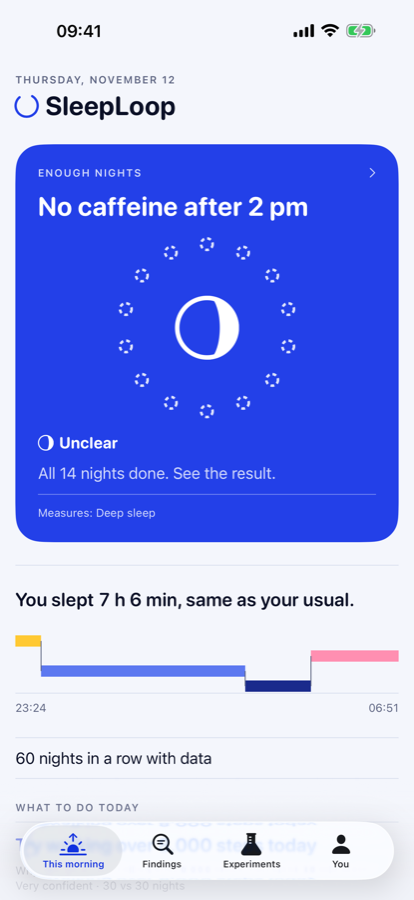
Thử một thay đổi trong 14 đêm và xem nó có giúp bạn ngủ ngon hơn không.
14-night experiments. Try one change for 14 nights and see whether it helps you sleep better.
- Pick one change, such as no caffeine after 2 pm or a fixed bedtime.
- SleepLoop reads your past nights from Health as the baseline, then compares them with 14 nights of the change.
- A one-tap morning check-in marks nights you did not follow the plan or were ill, so they do not skew the result.
02 — Độ Tin Cậy Thật
Kết luận trung thực
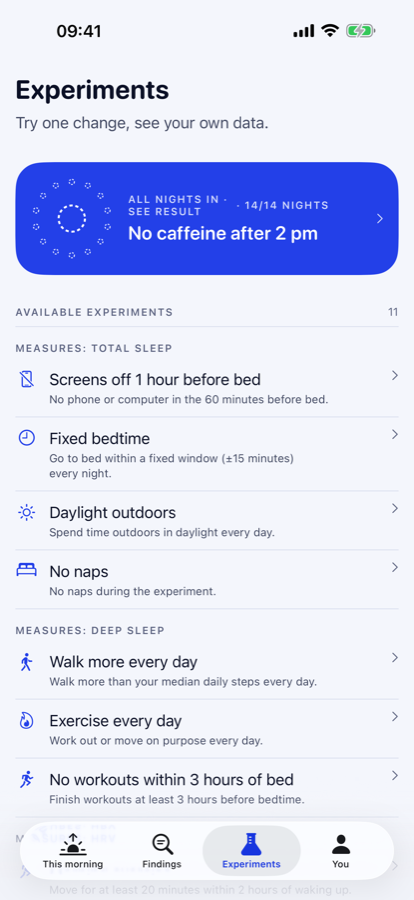
Chỉ đưa ra kết luận khi có đủ đêm hợp lệ.
Honest confidence. SleepLoop only concludes when there are enough valid nights.
- Reports whether the change genuinely helped, made no difference, or made sleep worse.
- No fake precision: when data is noisy or inconclusive, SleepLoop tells you so directly.
Reads, never writes
The App never writes to Apple Health. Your health store remains entirely pristine and read-only.
No account, no analytics
There is no account, no telemetry SDK, no advertising and no remote database. Everything runs on your iPhone.
03 — Ảnh Màn Hình
SleepLoop trên iPhone
04 — Câu Hỏi Thường Gặp
FAQ
Không thấy dữ liệu giấc ngủ / No sleep data
Mở Cài đặt → Quyền riêng tư & Bảo mật → Sức khỏe → SleepLoop và bật Giấc ngủ. Bật theo dõi giấc ngủ trên Apple Watch hoặc iPhone (Sức khỏe → Giấc ngủ). / Open Settings → Privacy & Security → Health → SleepLoop and turn on Sleep. Turn on sleep tracking on Apple Watch or iPhone (Health → Sleep).
Vì sao kết quả ghi "Cần thêm dữ liệu"? / Why does it say "Need more data"?
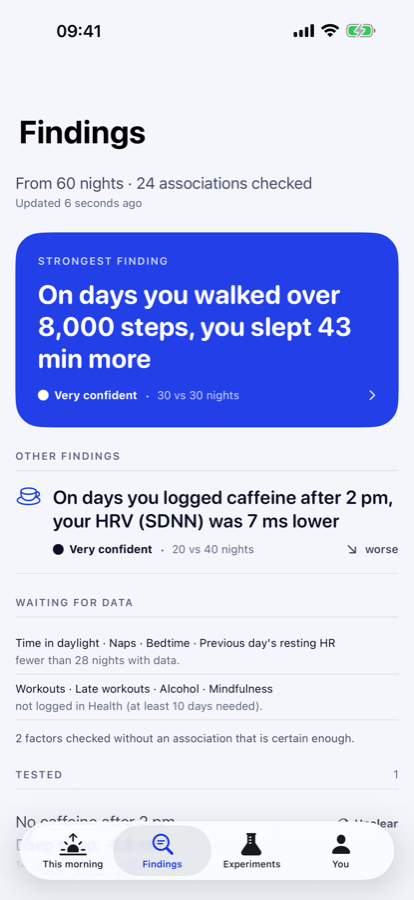
SleepLoop chỉ đưa ra kết luận khi có đủ đêm hợp lệ. Thử nghiệm cần 14 đêm; phát hiện tự động cần ít nhất 28 đêm có dữ liệu. / SleepLoop only concludes when there are enough valid nights: 14 nights per experiment, at least 28 nights of history for automatic findings.
Gói Pro / SleepLoop Pro
Quản lý hoặc hủy gói trong Cài đặt → [tên bạn] → Đăng ký, hoặc trong app: Bạn → Quản lý gói. Khôi phục giao dịch trong Bạn → Khôi phục giao dịch. / Manage or cancel in Settings → [your name] → Subscriptions, or in the app under You → Manage subscription. Restore purchases under You → Restore purchases.
Ngủ ngon hơn, bằng dữ liệu của chính bạn.
Personal 14-night sleep experiments on your own Apple Health data, analysed on your iPhone.